

Why is Google not indexing my blog posts? You hit publish. You wait. Then you search your own title in Google, and nothing shows up.
Google is not indexing your blog posts because each page failed one of three gates: discovery (Google never found the URL), crawling (Googlebot couldn’t access it, often due to a noindex tag or robots.txt block), or indexing (Google read the page and judged it not worth storing). Search Console’s status label shows which gate failed.
It feels personal. It isn’t. Let’s work out what’s really going on, one plain fact at a time.
Trying to work out why Google is skipping your posts can feel like throwing darts in the dark, because “Discovered, currently not indexed,” “Crawled, currently not indexed,” and a handful of other Search Console statuses all look similar but point to very different fixes. Most of us end up tweaking titles, resubmitting URLs, and hoping something sticks, without ever knowing which change actually matters. That’s why I put together the free Search Visibility Action Planner, which takes the signals you’re already seeing in Search Console and turns them into one prioritized next move instead of a pile of possibilities. Grab it below, and you can stop guessing and start working on the one thing most likely to get your posts indexed.
Table of Contents
Does Google Hate My Site? 5 Indexing Myths to Drop
The toughest reader has a firm theory already. Maybe it’s “Google hates my site.” Maybe it’s “Google is broken.” Maybe it’s “My content is great, so Google is wrong.” After all, if you can’t find your blog posts on Google, somebody has to be at fault.
Some of these ideas came from forum threads. Some came from a YouTuber with a hot take. Some came from pure frustration.
Here are the common ones:
- “I got a penalty.”
- “I just need to click Request Indexing more often.”
- “Google favors big brands, so small blogs have no shot.”
- “My writing is good, so the problem must be technical.”
- “I’ll wait it out and it will fix itself.”
Notice what these have in common. Nobody tested them. They are guesses that feel true.
So we’ll drop every one of them. We’ll keep only facts that no reasonable person can argue with. Then we’ll build up from there.
What Does It Mean When Google Hasn’t Indexed Your Page?
Start here. When you type a search, Google doesn’t scan the live web. It searches its own stored copy of pages. That stored copy is called the index.
Now follow the logic. If a page isn’t in the index, it can’t appear in results. It can’t show up at position one. It can’t show up at position one hundred.
That changes your question. “Why aren’t my blog posts showing up in Google?” really means “Why hasn’t Google stored this page?”
This matters because two different problems hide inside one complaint:
- Not indexed. Google hasn’t stored the page at all, so your blog content is missing from Google search results.
- Indexed but ranking low. Google stored it, but it sits far down the results.
These problems have different causes and different fixes. Many bloggers treat them as one. That mix-up wastes weeks.
You can check which one you have in about a minute. Open Google Search Console, the tool that reports indexing errors and coverage status for every URL on your site. Paste your post’s URL into the URL Inspection Tool. It will tell you plainly whether the page is in Google’s index.
If the answer is no, you have a “blog posts not indexed by Google” problem. Everything below applies to you. If the answer is yes, you have a ranking problem. That’s a different article. Search visibility has two layers, and the index always comes first.
How Does Google Index a Page? The 3 Gates Every Post Must Pass
Here’s the second bedrock fact. Google can’t store a page it never found. It can’t store a page it couldn’t open. And it chooses not to store some pages it did open.
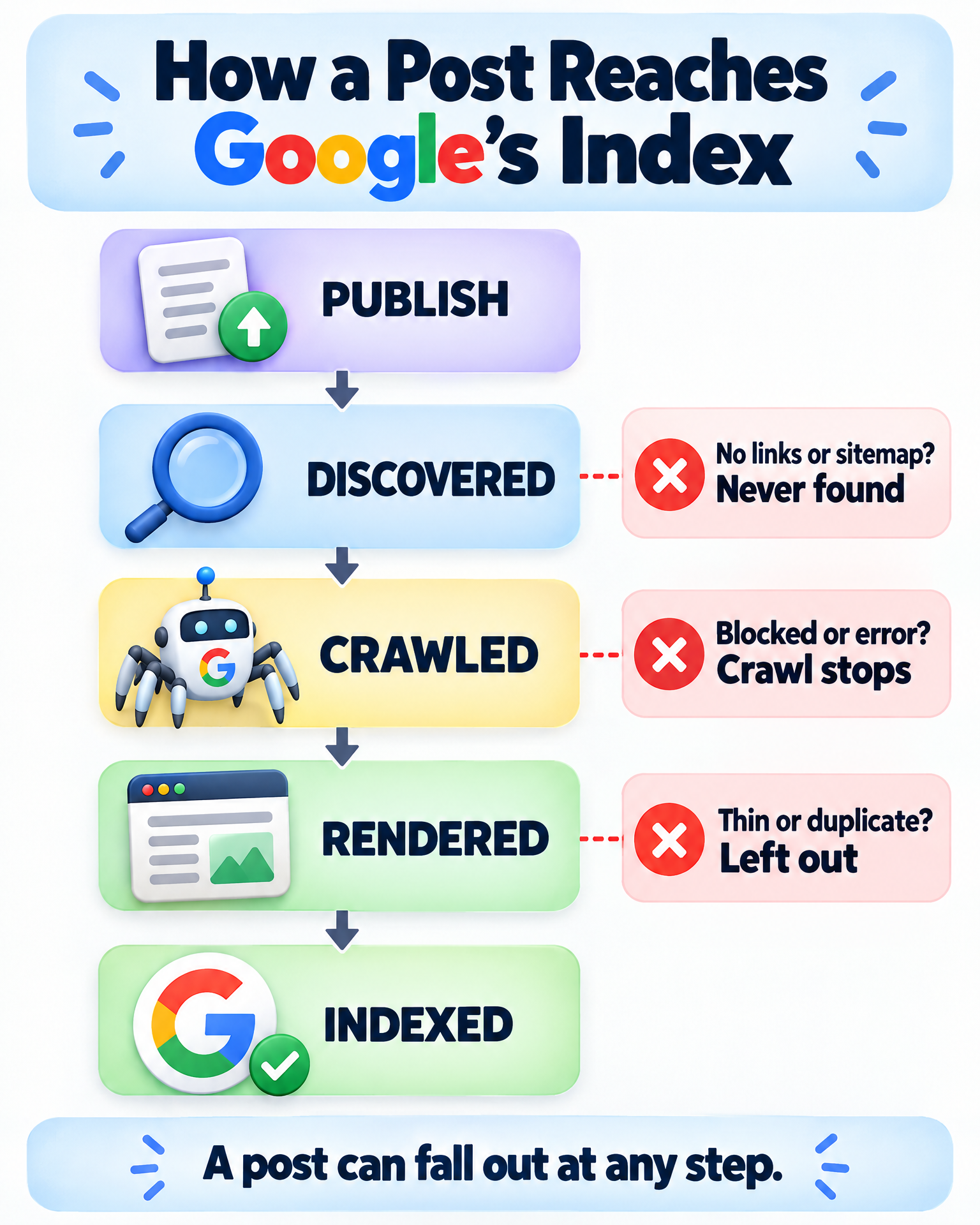
That gives us three steps, and each one can fail:
- Discovery. Googlebot learns the URL exists.
- Crawling. Googlebot visits the page and reads it.
- Indexing. Google decides the page deserves a spot in its index.
Googlebot is the crawler that does the finding and visiting. It discovers new blog posts through links and sitemaps. Those are its two main doors in.
One more fact belongs here, and Google says it openly. Google does not promise to index every page it finds. Even well-built sites have pages that stay out.
So whether you’re asking “Why aren’t my pages getting indexed?” or “Why does Google refuse to index my content?”, the answer is a finite set of causes. The cause sits at one of three gates. It’s never a vague mystery.
Better still, Google Search Console tells you which gate failed. Its index coverage report, now called the Pages report, labels each URL with a status. Those labels are not random. Each one points to a specific gate.
Let’s walk through the gates in order.
Why Is My Post “Discovered – Currently Not Indexed”?
If your Search Console status says “Discovered – currently not indexed,” pay attention. Many bloggers search “why are my URLs discovered but not indexed” at exactly this point. Google knows the URL exists. It hasn’t visited yet.
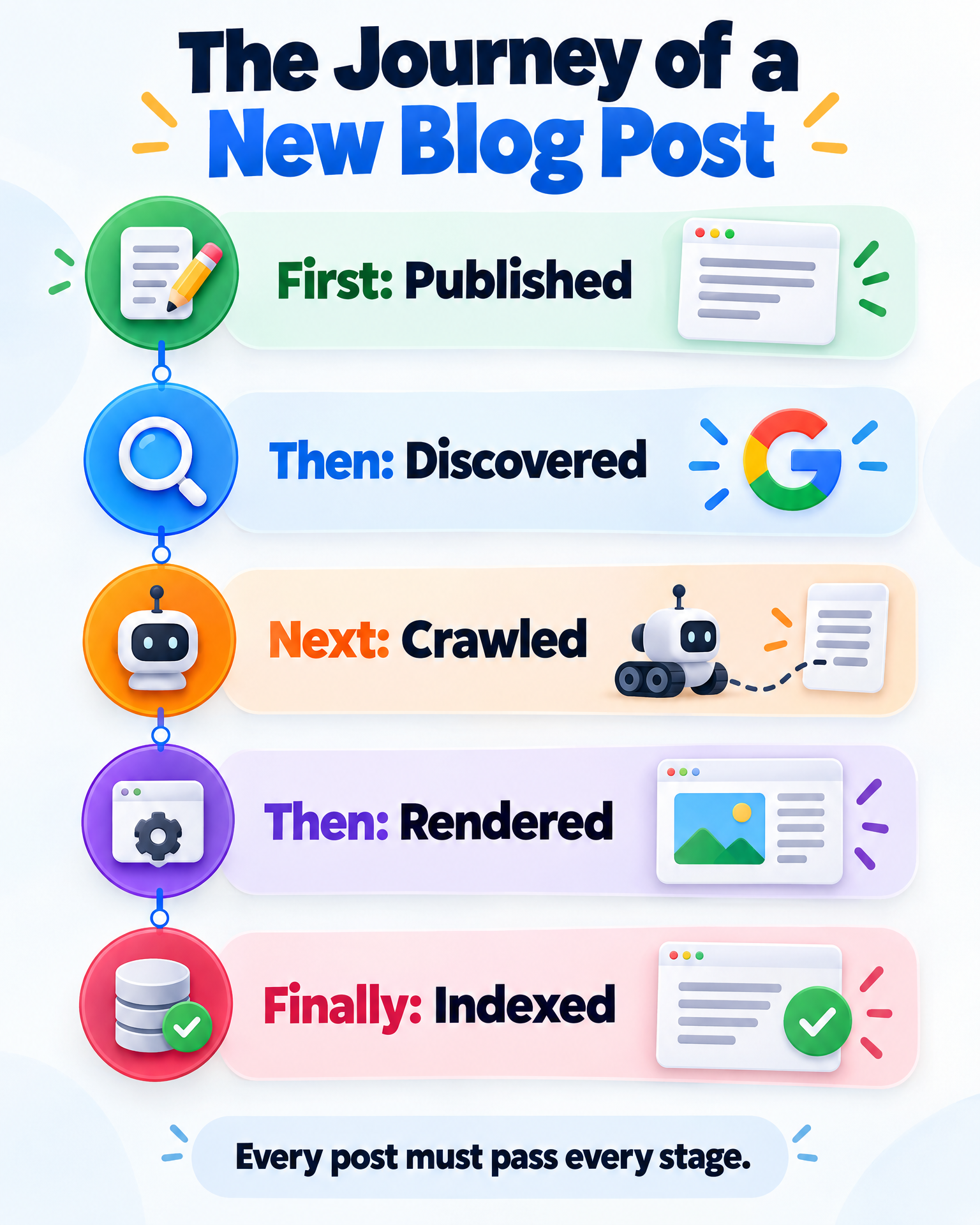
That’s a discovery or priority problem. It’s not a verdict on your writing, because Google hasn’t read the page yet. If it feels like Google is ignoring your new posts, this is usually why.
Why would Google know about a URL and not visit it? That’s the heart of “Why is Google not crawling my new articles?” Start with what’s checkable. These are the common causes:
- Orphan pages. No other page on your site links to the post. Googlebot has almost no path to it.
- Weak internal linking and site architecture. Internal links help Googlebot find and crawl new posts. A post buried five clicks deep gets less attention.
- No XML sitemap. An XML sitemap signals which URLs you want crawled. Without one, you rely on links alone.
- No backlinks. Backlinks from authoritative sites speed up crawling and indexing. A brand-new post with zero links pointing in has no outside vote.
Then there’s the bigger context. Google gives each site a limited amount of crawling attention. People call this crawl budget. Small sites rarely hit hard limits. But a new site with no history gets less attention than an established one.
That brings up the new domain problem. New domains often get indexed more slowly because Google has little reason to trust them yet. Many SEOs call this the sandbox effect. Google has never confirmed a formal sandbox. Still, slow starts on young sites are common, and they are a big reason people ask, “Why is my site not being picked up by Google?”
How long can this take? On a new site, it can take days or longer. Nobody can give you an honest exact number.
So here’s the logic so far. If your status says “Discovered,” the fix lives in discovery. Link to the post from pages Google already crawls. Submit a clean XML sitemap. Earn a link if you can.
Clicking “Request Indexing” over and over does not change any of this. It asks Google to look. It doesn’t make the page more worth looking at.
Why Can’t Googlebot Crawl My Page? Noindex, Robots.txt and Server Errors
Now suppose Google found the page. The next question is simple. Did anything block or break the visit?
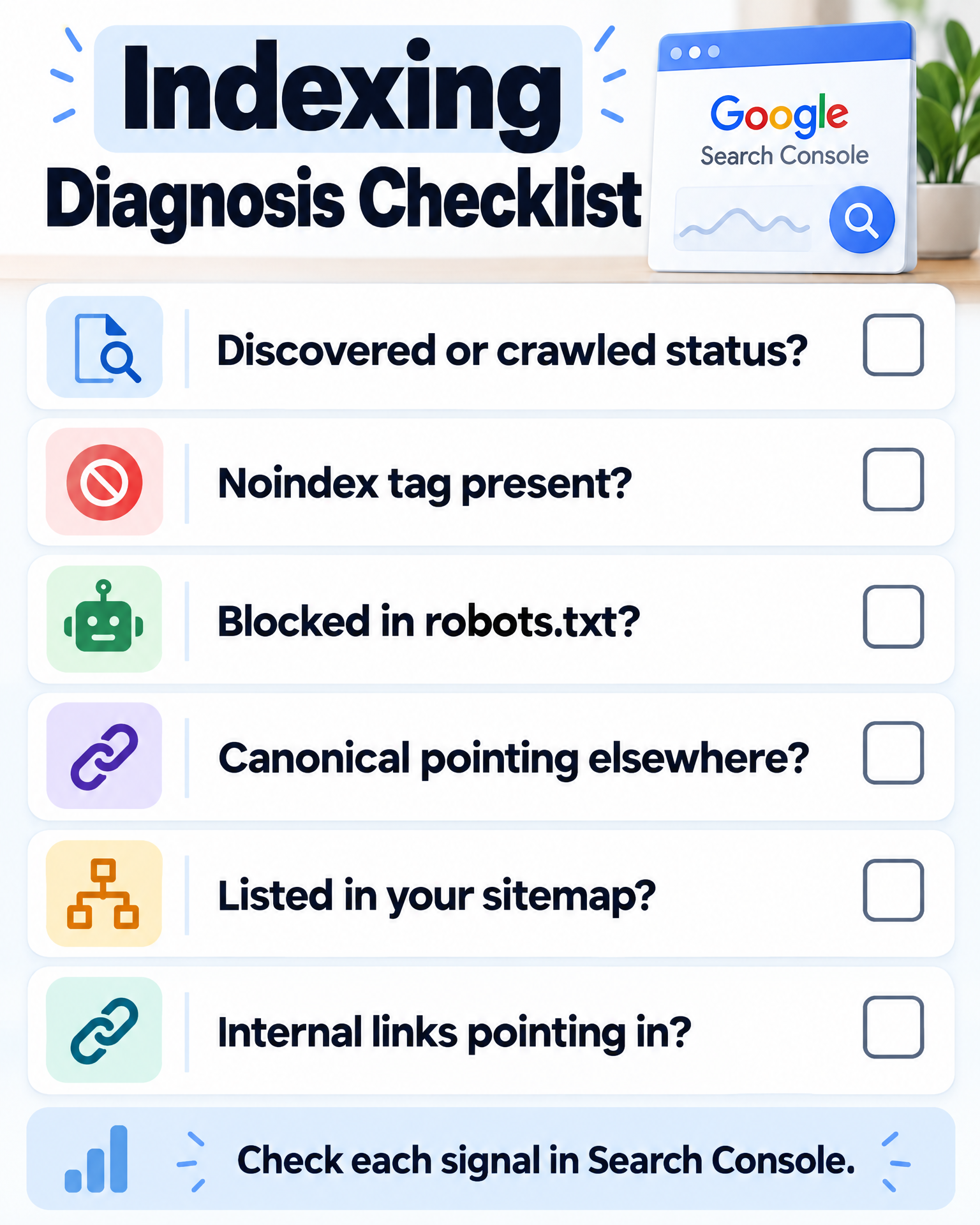
This gate fails for boring, mechanical reasons. That’s good news. Mechanical problems have clear fixes. Sometimes the answer to “Why hasn’t Google indexed my website?” is a single line of code.
Check these in order:
- A noindex tag. Noindex tags prevent pages from appearing in Google’s index. Many themes and SEO plugins add one by accident. A WordPress setting called “Discourage search engines” can do it sitewide.
- Robots.txt blocking. A robots.txt misconfiguration blocks crawlers from reaching pages. One stray line can shut out a whole folder.
- Canonical tags. A canonical tag tells Google which version of a page is the “main” one. If your post’s canonical points to a different URL, Google may skip your post.
- Server errors (5xx). If your host fails when Googlebot visits, the page can’t be read. Cheap or overloaded hosting causes this more than people expect.
- Soft 404s. The page loads, but it looks empty or broken to Google. Google treats it like a missing page.
Notice something here. None of these has anything to do with your content quality. A brilliant post with a noindex tag will never get indexed. The tag settles it.
Search Console makes this step easy. The URL Inspection Tool, the same tool you use to request indexing, shows whether Google could fetch the page. It also shows whether indexing is allowed and which canonical Google picked. You can also test the live URL to see what Googlebot sees right now.
A quick self-check before moving on:
- Is the page free of a noindex tag?
- Does robots.txt allow it?
- Does the canonical point to itself?
- Does the page load cleanly every time?
If any answer is no, stop here. You found your cause. Fix it before you touch anything else.
Also check the Manual actions report in Search Console. A manual action is a real penalty applied by a human reviewer. It’s rare. But it’s quick to rule out, and the report will say plainly if you have one. If it’s empty, the “I got a penalty” theory is dead.
Why Is My Post “Crawled – Currently Not Indexed”?
Now the harder one. Suppose your page passed the first two gates. Google found it, opened it, and read it. Then it chose not to store it.
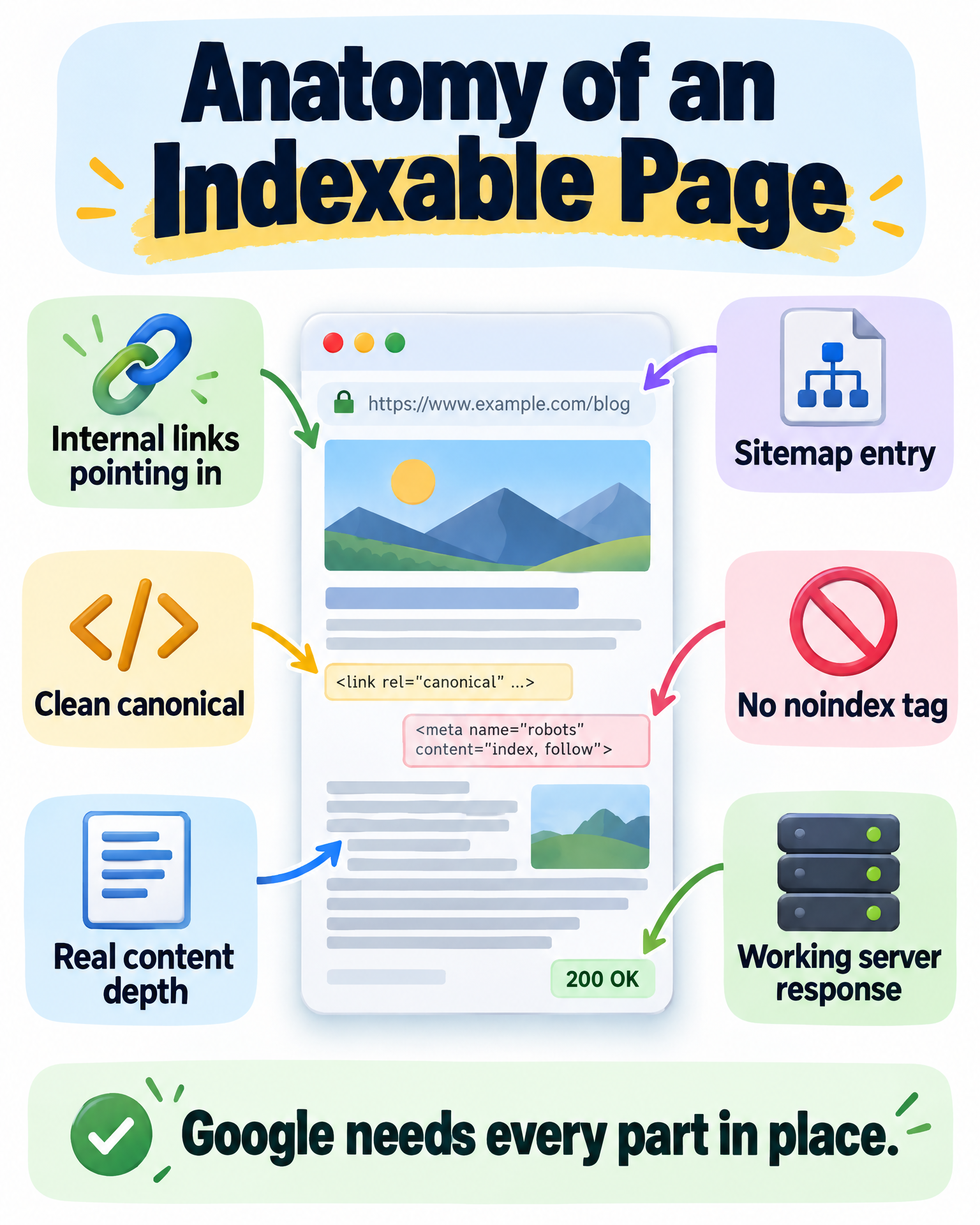
That’s the status “Crawled – currently not indexed.” If your blog posts are not appearing in search even after a clean crawl, this is the label you’ll see. It’s the most uncomfortable one, because the cause is no longer mechanical. Google looked at the page and passed.
Google doesn’t tell you the exact reason, so we work from what Google says it wants. Its guidance favors helpful, original content made for people. Its helpful content system rewards that kind of page and filters out the rest.
So what tends to lose at this gate?
- Thin content. Short pages that say little and answer nothing new.
- Duplicate content. Pages that repeat other pages on your site, or pages across the web.
- Low-quality or AI-generated content. Mass-produced text with no real insight. The problem is not the tool. It’s content that adds nothing.
- Thin affiliate pages. If you’re asking why your affiliate site isn’t showing up on Google, start here. A page that rewrites a product description and adds affiliate links gives Google no reason to keep it. Thin affiliate content lowers a page’s chances of being indexed.
Now flip it around. Original, in-depth content improves indexing and ranking potential. Think of first-hand testing, real photos, honest pros and cons, and answers to questions the manufacturer’s page skips.
This is where E-E-A-T comes in. It stands for experience, expertise, authoritativeness, and trustworthiness. It’s not a switch you flip. But it describes what Google tries to reward. A page that shows real experience gives Google more to work with.
What about page experience and Core Web Vitals? They matter for the people who visit your site. They are rarely the reason a page is missing from the index. Check them, but don’t start there.
Domain authority is not a Google score. Other SEO tools made it up. Still, the idea behind it is real. Sites with a long, clean history get more trust from Google than brand-new ones.
So at this gate, the question is brutally simple. If Google had only this page, would the index be worse without it? If the honest answer is no, you’ve found the problem.
How to Fix Blog Posts Not Indexed by Google: The Status-to-Fix Map
Let’s put the pieces together. Here’s the whole argument, one step at a time.
- Google can only show pages stored in its index.
- A page reaches the index by passing three gates: discovery, crawling, and indexing.
- Each gate has a small, known set of causes.
- Google Search Console reports indexing errors and coverage status, and it labels each URL with a status that points to one gate.
- So your post is not indexed because it failed at one specific gate.
That’s the whole answer. It was never “Google hates me.” It was never random. That’s why Google is not listing your blog pages: they failed at a gate, and the report tells you which one.
Here’s the map:
- Discovered – currently not indexed: Fix discovery. Add internal links, submit a sitemap, and earn backlinks.
- Excluded by noindex, blocked by robots.txt, or a canonical issue: Fix the technical block.
- Server error or soft 404: Fix the page or your hosting.
- Crawled – currently not indexed: Make the page more original and more useful than what Google already has.
An SEO audit by a webmaster or SEO specialist would follow this exact order. You can do the first pass yourself, for free.
How to Get Google to Index Your Blog Post: A 5-Step Plan
Don’t try ten fixes at once. That’s how you learn nothing.
If your published posts are not being indexed, treat Google’s status as a message, then answer it with one move. Here’s your short plan, the Search Visibility Action Planner way:
- Open Google Search Console and inspect one unindexed post.
- Read the exact status label. Write it down.
- Match it to its gate: discovery, access, or quality.
- Pick the single fix that gate points to.
- Make that one change, then check the same URL again.
That’s it. One post, one signal, one move. Organic traffic starts with a page Google is willing to store.
Forget the forum threads. Nobody there can see your Pages report, and you can. The answer to why Google is not indexing your blog posts is sitting in Search Console right now, with a label on it. Open the report, inspect your newest missing URL, and fix only the gate that label names.
Products / Tools / Resources
- Google Search Console (free): The Page indexing report and URL Inspection tool show exactly which status Google has assigned to each post — and where it stopped.
- Your XML sitemap: Generated by your SEO plugin, it tells Google which URLs exist. Check that new posts actually appear in it.
- Search Visibility Action Planner (free): The worksheet this article points to — turn the signal Search Console is sending into one prioritized next move.