
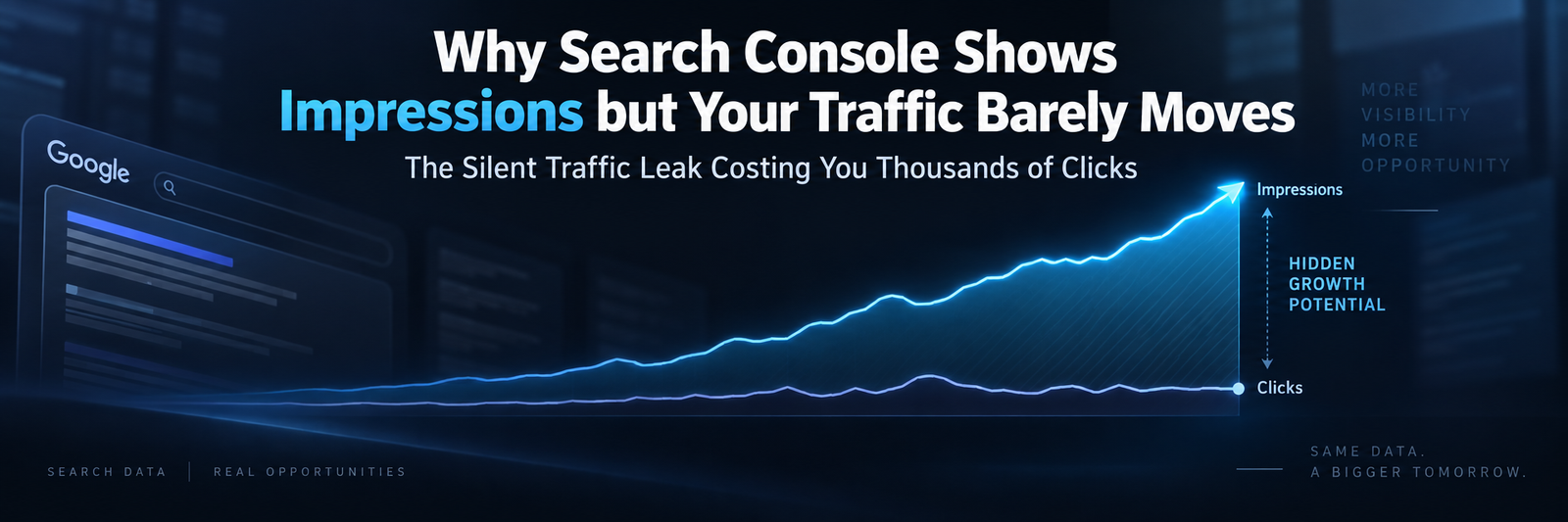
You open Google Search Console expecting bad news, and instead the impressions graph is climbing. Thousands of them. Sometimes tens of thousands. Google is putting your pages in front of real people typing real searches — that part is undeniable. Then you flip over to analytics, and the story changes completely. Traffic sits flat. Some weeks it even dips. That gap, between what Google shows and what actually shows up on your site, is one of the most disorienting stretches a niche affiliate blogger will live through, usually somewhere between month three and month eighteen.
Here’s the reframe that changes everything, though: this isn’t a glitch, and it isn’t bad luck. It’s data, speaking plainly. Impressions without clicks are Google telling you — with almost embarrassing precision — exactly where your content is close but not quite there. The rest of this is about learning to actually read that signal instead of just refreshing the dashboard and hoping it fixes itself.
Table of Contents
Impressions, Clicks, and the Gap Between Them
Before you diagnose anything, sit with what these numbers actually mean. Not the vague version — the literal one.
Impressions count every single time your URL showed up on a results page someone could theoretically have scrolled past. Even if they didn’t see it. Even if it flashed by for half a second before they clicked something else. Clicks are the real thing — an actual person landing on your site. CTR, click-through rate, is just clicks divided by impressions. And average position is exactly what it sounds like: the blended average ranking slot across every device, location, and phrasing variation Google lumped into that query.
So why would impressions rise while clicks refuse to budge? Almost every time, it comes down to one word: position. A page can rack up huge impression numbers sitting at position 14 for a genuinely popular query and still bring in almost nobody, because hardly anyone scrolls past page one. Meanwhile, a page with a fraction of those impressions sitting at position 3 will often out-earn it in raw traffic without even trying.
Hold onto this mental model, because it explains almost everything that follows: impressions measure visibility. Clicks measure trust at that visibility level. Google already decided to show your page. The user is the one deciding, in the two seconds it takes to read a headline and a snippet, whether it’s actually the answer they’re looking for.
Reading the Position 8–20 Zone: Where Hidden Opportunity Lives
Search Console’s best feature isn’t buried in some menu you’ve never clicked. It’s a habit — sorting by average position instead of defaulting to clicks, which is what almost everyone does out of instinct.
Why positions 8–20 matter more than they look
Everyone obsesses over position 1–3. Fair enough — that’s where the traffic lives. And position 21+? Mostly a graveyard, buried on page three and beyond, rarely worth your analytical energy. But there’s a zone in between — position 8 through 20, the bottom of page one bleeding into the middle of page two — that quietly holds the most economically interesting queries in your entire account. Here’s why:
- Google has already judged your content relevant enough to include
- Real, measurable search volume is landing on the page — that’s why impressions are climbing
- CTR is naturally low here, and that’s not a verdict on your writing. It’s geography.
Think about a page sitting at position 11, pulling in 2,000 impressions and maybe 9 clicks. That’s not a failing page. That’s a page one nudge away from position 6 — same 2,000 impressions, but now 80, maybe 100 clicks. The visibility was already earned. The click hasn’t been earned yet. And often, neither has the ranking jump that would make the click happen.
This is the same story told in Why Good Blog Posts Get Stuck on Page 2 of Google — content that’s relevant enough to surface but hasn’t yet proven itself authoritative or precise enough to crack the top five. Impressions without clicks, and being stuck on page two, are usually two faces of the same underlying problem.
The Search Console workflow, step by step
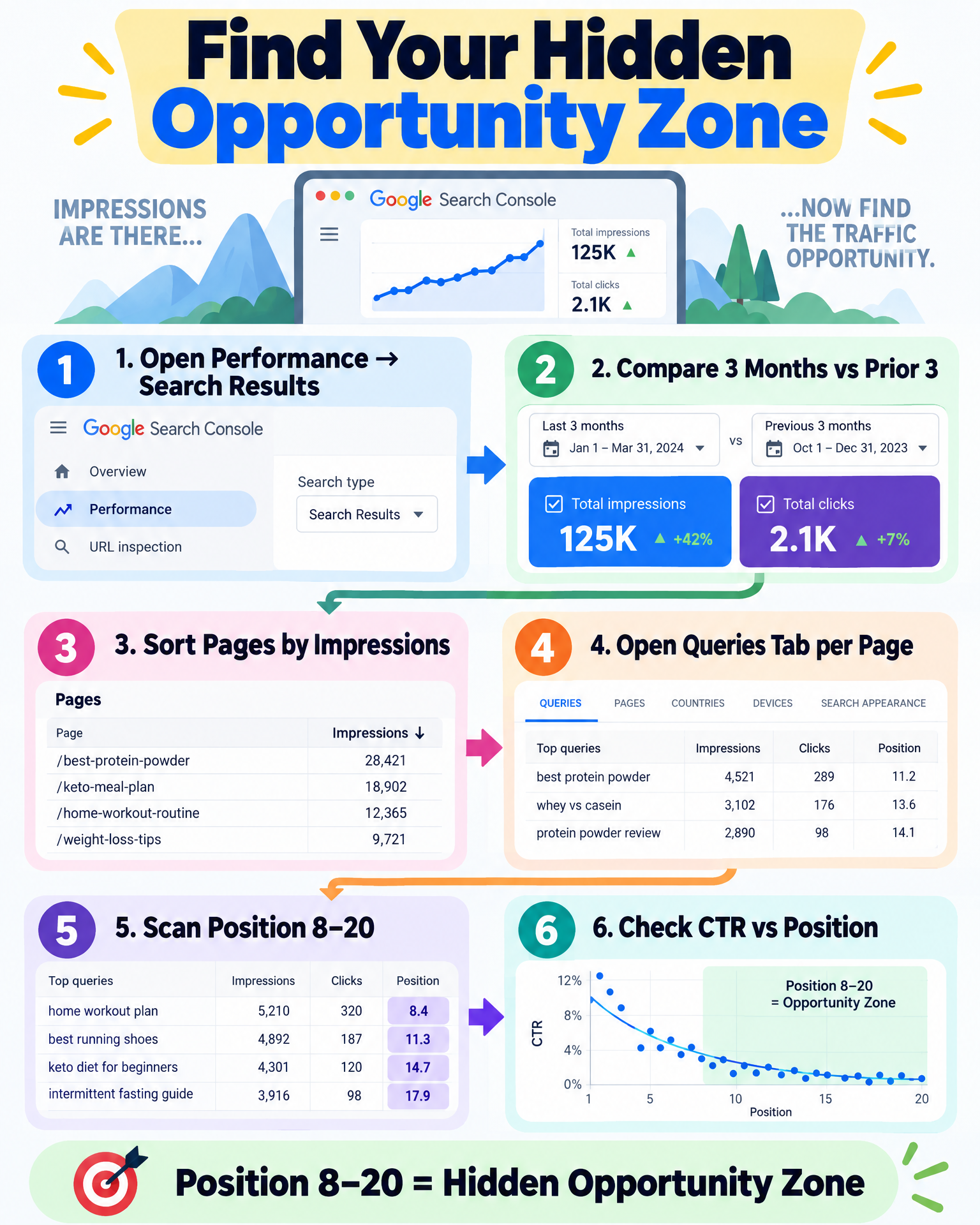
- Open Performance → Search results.
- Turn on the comparison: Last 3 months vs. previous 3 months (stretch it to 6 vs. 6 if your site is still young).
- Click into the Pages tab. Sort by impressions, descending.
- Whenever you spot a page with impressions climbing but clicks going nowhere, open it, then jump to the Queries tab filtered specifically to that URL.
- Sort those queries by impressions, and scan the position column for anything parked between 8 and 20.
- Then check CTR against position. A weak CTR at position 14 is expected — nothing to see there. A weak CTR at position 3 or 4, though? That’s the actual alarm bell. It means the ranking is fine, but the title or the snippet is quietly losing the click.
This sequence — page filter, then query filter, then position sort — is the entire engine behind everything in this article. Nothing downstream matters if you don’t run this consistently, not just as a one-off audit.
Three Kinds of Impressions: Real Signal, Weak Signal, and Mirage
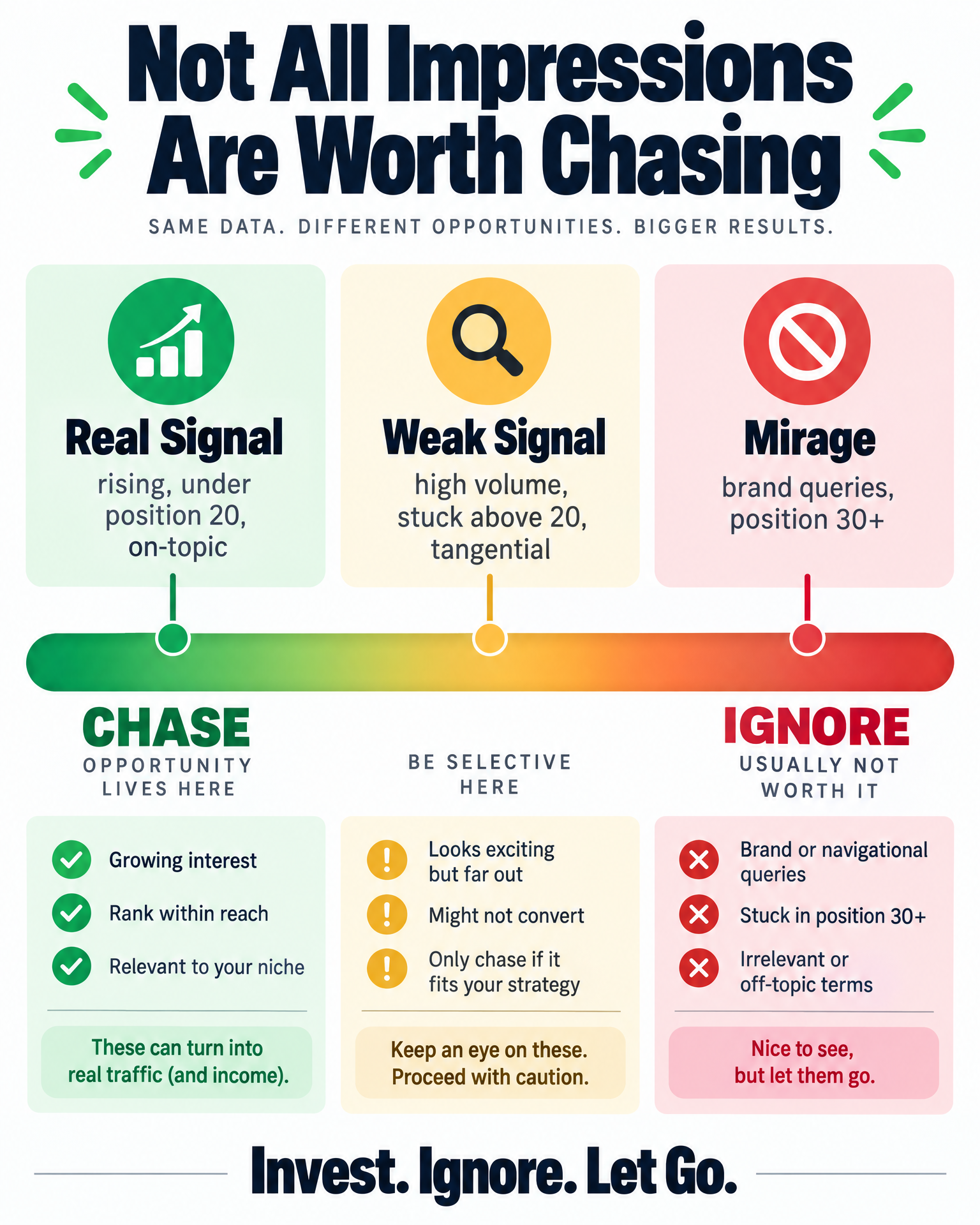
Not every impression is worth your attention, and pretending otherwise is how people burn weeks polishing queries that were never going to send traffic no matter what they did to the page.
Real opportunities: rising impressions, position under 20, topical relevance
These are the queries that sit squarely inside what your page is actually about, trending upward in position across your comparison window, with impression volume that’s clearly above the noise floor — not three or four impressions a month that don’t justify touching anything. This is where your editing time actually pays rent.
Weak signals: high impressions, position stuck above 20, tangential relevance
Sometimes Google surfaces your page for something only loosely connected to what it’s actually about — less a confirmation of relevance, more an experiment. These can look tempting because the raw numbers are big, but they rarely turn into traffic, because the page was never built to satisfy that particular intent. Your time is almost always better spent sharpening the page around its actual core queries instead of chasing the tangent.
Mirages: impressions with no realistic path to clicks
Then there’s the category that just needs to be released. If a query is clearly commercial or navigational — pointed squarely at a brand name, a specific tool, or a massive publisher — and your page only shows up occasionally at position 30-something, that’s not a hidden opportunity. That’s noise wearing a disguise. Trying to optimize for it is time you’ll never get back. Knowing when to walk away matters just as much as knowing when to chase — and it matters even more for younger sites still fighting for their first real visibility, which is exactly the territory covered in Why Your New Affiliate Blog Gets Almost No Google Impressions.
Turning the Gap Into an Actual Content Plan
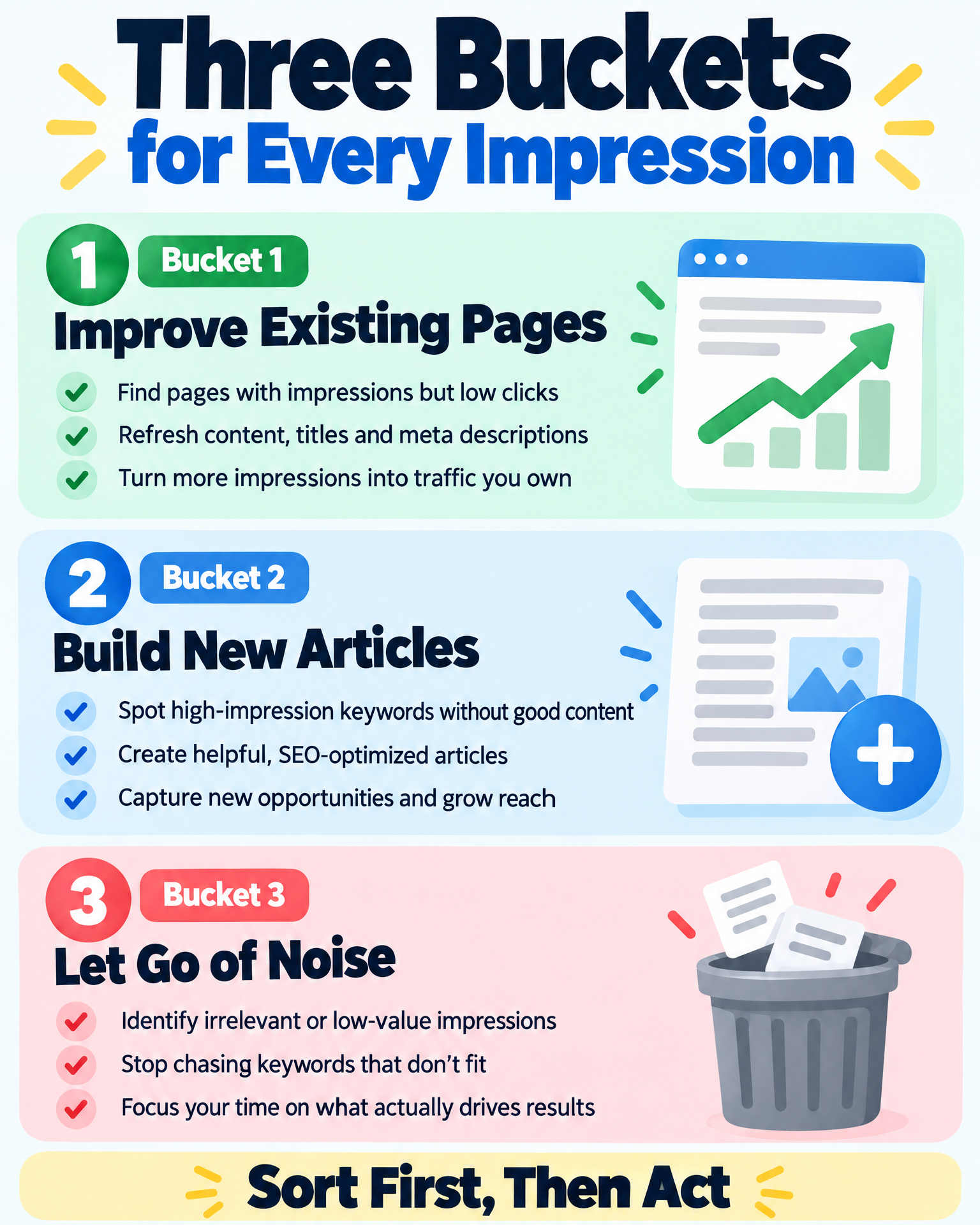
Once the real opportunities are separated from the mirages, the data almost organizes itself — it falls into three action buckets.
Bucket 1: Existing pages to improve
If a page has several related queries clustering in that 8–20 position band, with impressions holding steady or climbing over your comparison window, that’s your candidate for a refresh — not a brand-new article. Improvement usually looks like:
- Tightening the title tag and meta description around the literal phrasing people are actually typing (the Queries tab will tell you exactly what that is)
- Adding a section that directly answers the sub-questions the neighboring queries are hinting at
- Building internal links into the page from related content that’s already indexed and trusted
- Going deeper wherever the pages currently outranking you are clearly covering more ground than you are
Bucket 2: Queries that deserve their own article
Sometimes the cluster you’re looking at just doesn’t belong on the page it’s currently attached to — it represents a genuinely different intent, and forcing it in would water down what the page already does well. When you find rising-impression queries that don’t fit anywhere without diluting an existing article, that’s your cue to build something new and tightly focused, rather than stretching an old page past what it can reasonably cover. And before you write that new article, decide what job it does in your funnel — see how TOFU, MOFU, and BOFU content fits together.
Bucket 3: Impressions to let go
Low-volume noise, tangential matches, informational queries landing on a commercial page (or the reverse) — write these down, acknowledge them, and move on. Part of actually maturing as a content strategist is getting comfortable deciding what you’re not going to chase.
A Practical Monthly Habit
This isn’t a once-and-done audit. Impressions and positions are always moving underneath you. Here’s a routine worth repeating every month:
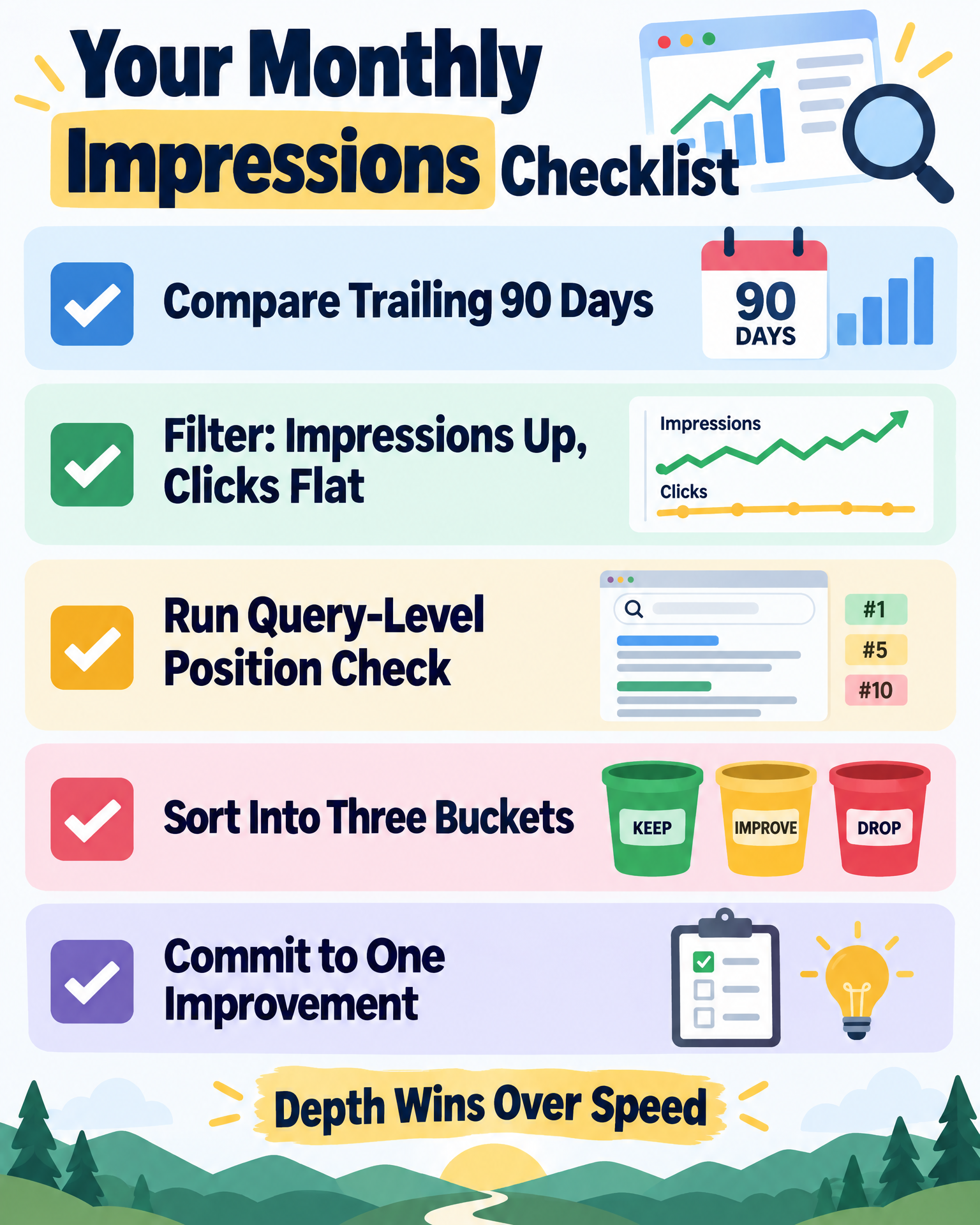
- Compare the trailing 90 days against the prior 90 days inside Performance.
- Filter down to pages where impressions grew more than 20% but clicks grew less than 5%.
- Run the query-level position check on each one, the same way described above.
- Sort what you find into the three buckets.
- Commit to one improvement, and at most one new article, per cycle. Depth wins over speed here, every time.
FAQ: Quick Answers to the Impressions-vs-Clicks Question
Why do my impressions keep climbing while clicks just sit there? Nine times out of ten, it’s because the average position for your main queries hasn’t crossed into the range where people actually click — realistically, that’s the top five.
Does a low CTR always mean something’s wrong? Not if you’re sitting at position 8–20. That’s expected there — nobody’s scrolling that far down consistently. It only becomes a real problem when a low CTR shows up at a strong position, and that usually traces back to a title or meta description that isn’t pulling its weight.
Should I even bother rewriting a page that’s getting impressions but no clicks? Generally, yes — as long as the queries actually match what the page is trying to do. Push on depth, structure, and title alignment before you even think about starting something new.
How long do I wait after making changes before I judge whether it worked? Give it a full, comparable window — four to six weeks minimum. Search Console data lags, and rankings need time to settle before the numbers mean anything.
Products / Tools / Resources
- Google Search Console — free, and it’s the entire engine behind this workflow. If you haven’t set it up yet, this is where all of it starts and ends.
- A rank-tracking or keyword position tool — something that monitors ranking movement daily or weekly, so you’re not relying purely on Search Console’s lagging averages to catch a page climbing (or slipping) out of that 8–20 zone.
- Further reading, if you want to go deeper on the surrounding issues: Why Good Blog Posts Get Stuck on Page 2 of Google and Why Your New Affiliate Blog Gets Almost No Google Impressions — both tie directly into the diagnostic process covered here.