
You've got forty posts. Twelve categories. And a nagging feeling that something's off.
You finish a new article, hover over the category dropdown, and stall. It could live under "SEO Tips." Or "Content Marketing." Or "Blogging Basics." You pick one, close the tab, tell yourself you'll fix it later.
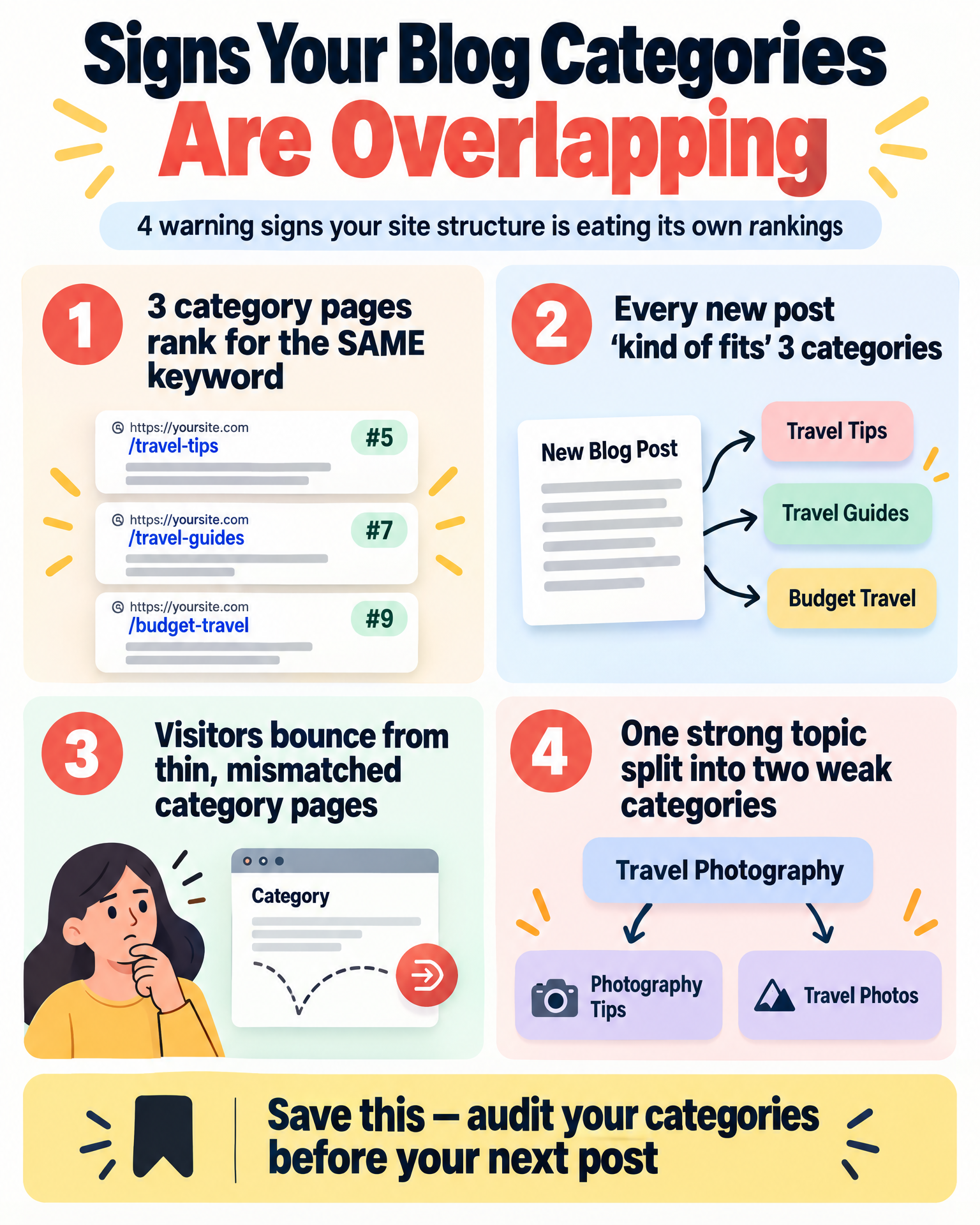
Later comes six months down the road, when you notice three of your category pages ranking for the exact same keyword — against each other. Google looks at all three, shrugs, and splits the ranking or picks the one you never wanted front and center.
That's category overlap — possibly the quietest structural problem in affiliate blogging. It doesn't throw a 404. It just sits there, eating away at your topical authority, until a competitor with half your content outranks you on every keyword that pays the bills.
This article fixes that — for good. (If your blog is brand new, pair this with What Should You Write First on a New Affiliate Blog? — that covers what to write; this covers where each post belongs.) You'll walk away with a repeatable system called primary topical ownership. One home per topic. No internal competition. A structure Google can finally read the way you meant it.
Table of Contents
Why Competing Categories Confuse Both Readers and Google
Blog taxonomy — categories, tags, content silos — isn't decoration. It's the map Google uses to interpret what your site stands for. When that map has two roads leading to the same destination, search engines don't reward thoroughness. They hand out confusion.
Say you have a category called "Affiliate Marketing Tips" and another called "Making Money Online." A post about picking an affiliate network could reasonably live in either. You publish under the first. Months later, something similar goes under the second. Now two category pages circle the same topic, chasing similar keywords — both thin, because the substance that should've built one strong page got split and buried in two weak ones.
Three things happen, and they compound:
Your topical authority gets diluted. Instead of one category page pulling fifteen solid internal links, you get two pages holding seven apiece — neither strong enough to rank.
Keyword cannibalization creeps in at the category level. People usually think of this happening between two posts. It happens between category pages too — and those pages often carry more weight for broad, top-of-funnel searches.
Your readers get lost. Someone lands on "Making Money Online" expecting a wide view of income strategies, finds three posts about affiliate networks, and bounces — because the category promised one thing and delivered another.
Every flicker of navigation confusion costs you a sliver of trust. Small and almost invisible — but stack that across a growing site, and your bounce rate creeps up while average session time quietly slides the other way.
The Real Reason This Keeps Happening
Nobody sets out to build a confusing blog. Overlap happens because almost every blog gets built keyword-first, with structure bolted on afterward — the same pattern behind Why Random Keyword Lists Create Disconnected Affiliate Sites.
You find a keyword, write the post, then glance at your category list and ask, "Which one does this kind of fit into?"
That phrase — kind of fits — is the root of nearly every taxonomy headache. It means you're jamming content into a structure never built to hold it. Categories built this way trend vague on purpose — "Tips," "Resources," "Guides" — because vague categories can swallow anything without complaint. But a category that can hold anything ends up standing for nothing. Not to readers. Not to Google.
This is exactly where cannibalization gets baked into your foundation. If you're sorting posts by what they're loosely about instead of the specific search intent they satisfy, multiple categories end up circling the same underlying intent from slightly different angles. Google's language models are frighteningly good at spotting this — they understand meaning, not just phrasing.
So the fix was never "do better keyword research." It's a structural decision you make before you write, not after you've published.
The Core Fix: Primary Topical Ownership
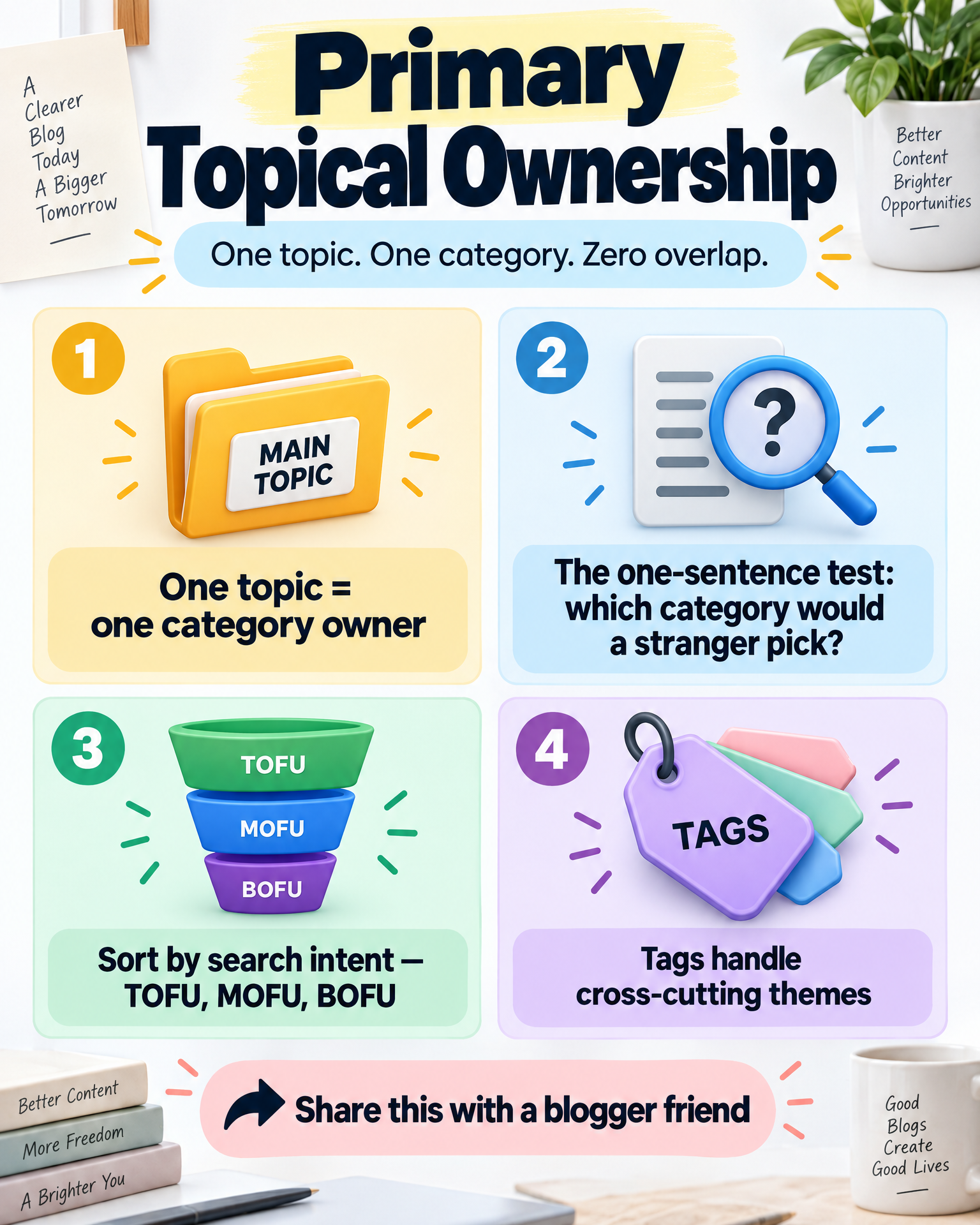
The rule: every topic on your site gets exactly one category that owns it, completely. No splitting a topic across two categories. No category quietly duplicating another's turf. The question changes from "where does this kind of fit" to "which single category already owns this?"
Think of categories less like folders and more like topic clusters — pillar subjects, each anchoring its own content silo. Under primary topical ownership:
- Every post gets one primary category. Just one.
- Every category owns a distinct subject with no blurry edges.
- No two categories can honestly both claim the same post.
There's a real difference between a filing cabinet with labeled folders and a pile of papers sorted by vibes. One builds topical authority. The other builds confusion, one post at a time.
The one-sentence ownership test
Ask yourself: if I described this post's core topic in a single sentence, which category name would a total stranger pick without pausing?
If two categories both feel like fair answers, you don't have a categorization problem — you have a category design problem. Rebuild the categories first.
A second useful filter: primary search intent. Every piece of content leans toward one dominant intent — informational, commercial, or transactional, roughly mapping to TOFU/MOFU/BOFU. A “what is affiliate marketing” post belongs somewhere foundational. Understanding How TOFU, MOFU, and BOFU Content Fit Together on an Affiliate Site makes that sorting much easier. A post comparing specific affiliate programs belongs in a buyer-focused category. Sort by intent instead of surface-level similarity, and overlap becomes obvious before it happens.
Five Rules That Keep Categories From Ever Colliding Again
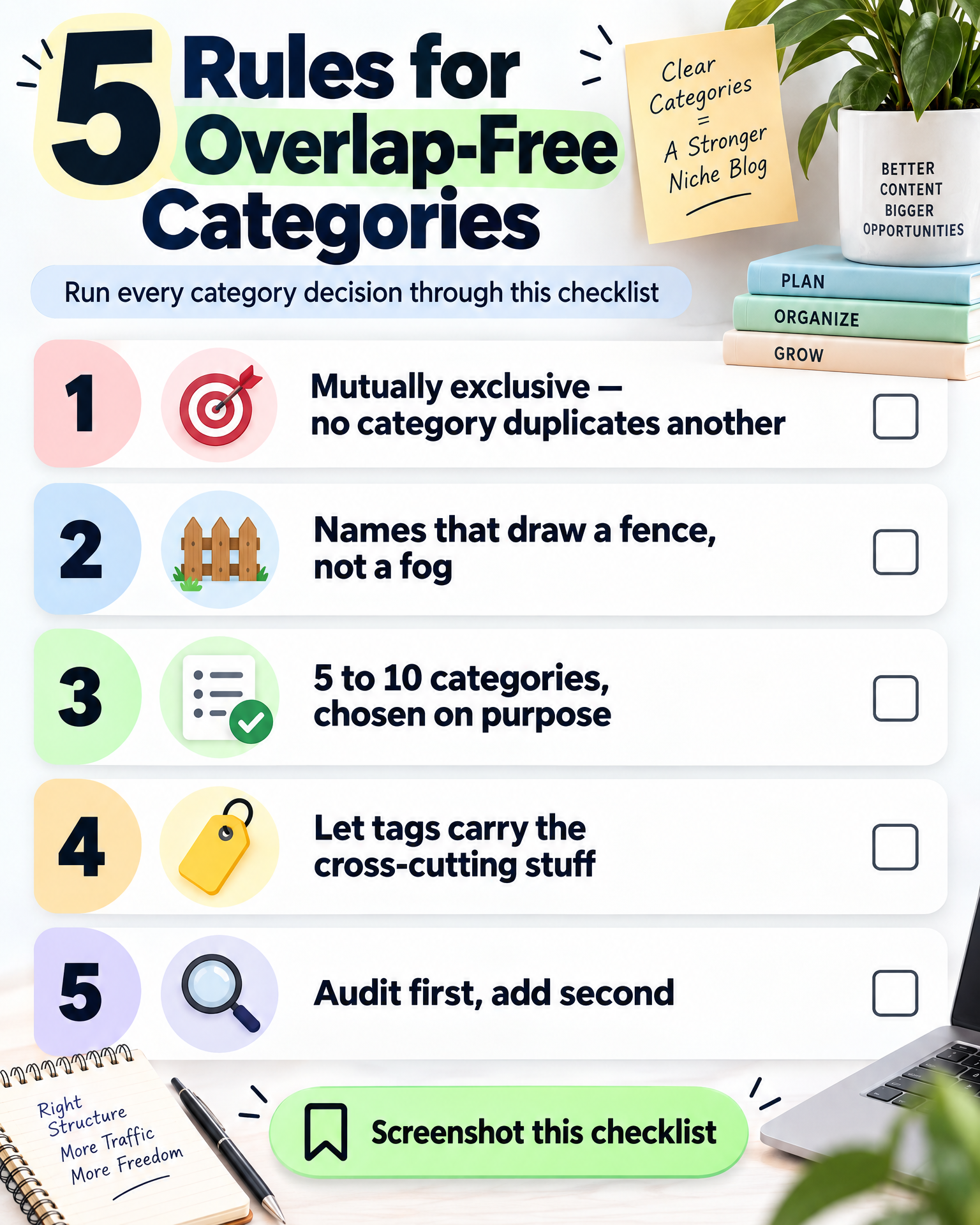
1. Mutual exclusivity, no exceptions. No category should be a quieter version of another. If "Blogging Tips" and "Blog Growth Strategies" both exist, merge them. Test it: could any two categories swap a post without changing its meaning?
2. Names that draw a fence, not a fog. Vague categories — "Resources," "Misc," "Tips" — invite overlap because they don't define a boundary. "Affiliate Network Reviews" beats "Reviews."
3. Fewer categories, chosen on purpose. Most niche blogs run cleanest with five to ten primary categories. Go past that and you’re likely slicing single topics into overlapping fragments — a classic symptom of Is Your Affiliate Niche Too Broad? Signs Your Site Has Lost Focus. Go under it and you're cramming unrelated content together. The right number depends on how wide your niche actually is right now.
4. Let tags carry the cross-cutting stuff. Categories are your site's skeleton — the primary structure. Tags exist for themes that cut across categories without needing a home of their own. A post under "Affiliate Networks" might also touch "beginner mistakes" — that's a tag, not a new category.
5. Audit first. Add second. Before spinning up a new category, check whether one already owns that ground. New categories should feel rare — a sign you're expanding into genuinely new territory, not just relabeling.
Fixing an Existing Site Without Burning It Down
If overlap is already baked in, this is fixable. You don't need to start from zero.
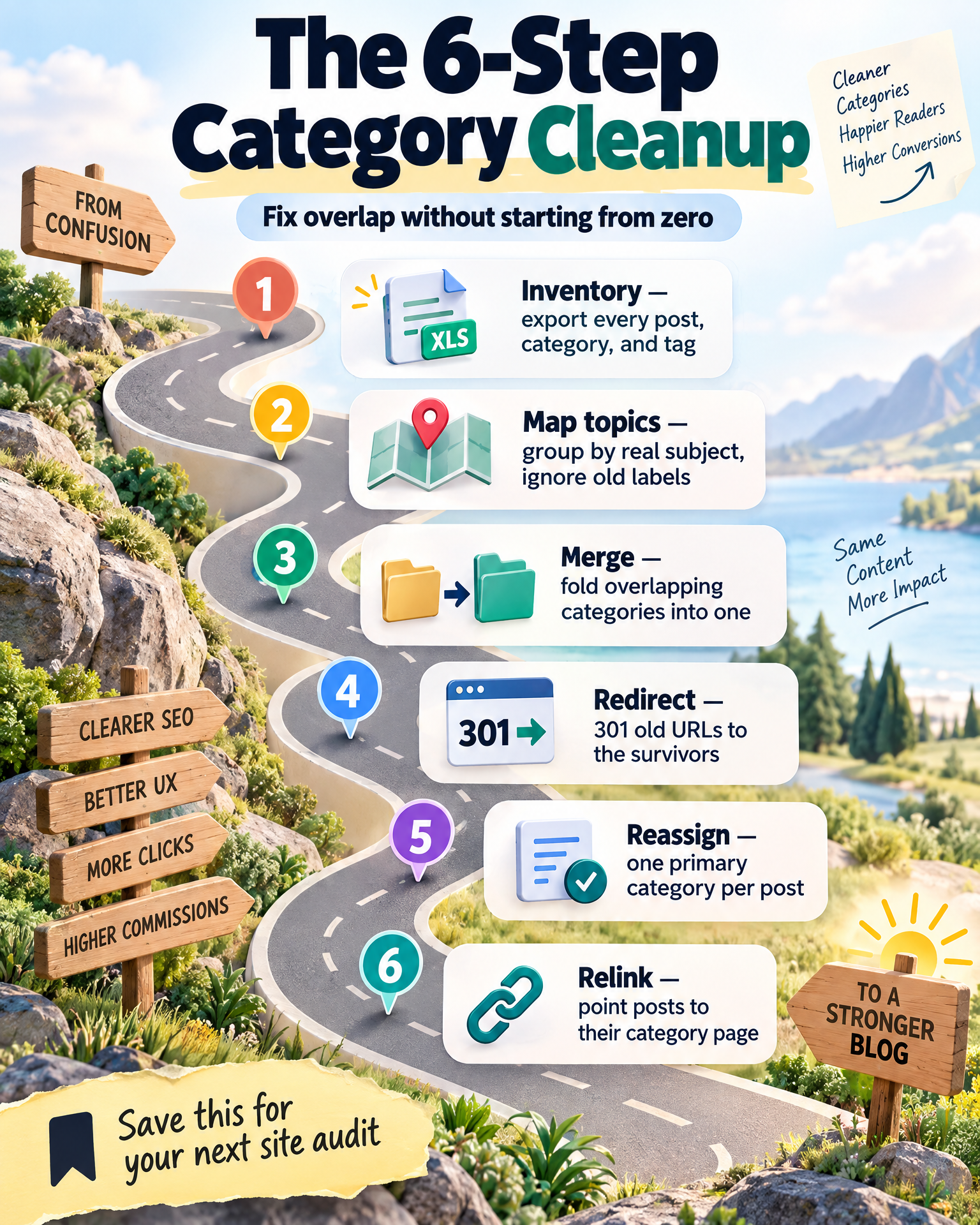
Step 1: Get everything on the table. Export your posts, current categories, and tags into a spreadsheet. For every post, note its primary keyword, search intent, and current category.
Step 2: Ignore your labels and map the real topics. Set current category names aside and group posts by what they're genuinely about, using the one-sentence test. Your true topic clusters will likely look nothing like your existing list.
Step 3: Merge what's fighting over the same ground. Keep whichever category has stronger content, more backlinks, or better keyword alignment. Fold the other in.
Step 4: Redirect. Don't just delete. When a category disappears, its old URL still exists in Google's index and possibly in someone's backlink. Set up 301 redirects. Skip this and you'll lose ranking signals almost overnight.
Step 5: Give every post exactly one home. Using your topic map, assign a single primary category to each post. Secondary themes become tags.
Step 6: Revisit your internal linking. Once posts are reassigned, update internal links so posts point to their category page using anchor text that echoes the category's core keyword.
This isn't a quick afternoon project on an established site — it's foundational work that makes every future post easier to place.
Turning Category Pages Into Pages That Actually Rank
Once overlap is gone, your categories stop being navigation and start being assets. Treat each one like a pillar page in a topic cluster strategy.
Give every category its own specific target keyword — "Best Affiliate Networks for Beginners," not just "Affiliate Networks."
Write a real description for the category page — a few sentences explaining what it covers and who it's for, instead of leaving your theme's default text sitting there doing nothing.
Build internal linking so relevant posts link up to their category page, and the category page links down to its strongest posts — a pillar page surrounded by supporting content, all reinforcing the same primary topical ownership.
Keep URLs clean and stop changing them. `/category/affiliate-networks/` beats a nested, shifting path. Category URLs build authority slowly — messing with structure without redirects resets the clock.
Don't treat category pages as static folders. Come back periodically: check the description still holds up, the featured posts are still your strongest, and internal links still point where they should.
The Habits That Quietly Bring Overlap Back
Adding categories too freely. Every new category pulls a little authority from the ones already working. Tempted to build one for a single upcoming post? That's a tag.
Categories holding exactly one post. That's a placeholder pretending to be a category. If you can't picture at least five posts eventually living there, it isn't ready yet.
Categories and tags that mirror each other. If your two lists look nearly identical, you haven't separated structural navigation from cross-cutting themes — you've built the same system twice.
Renaming or deleting without redirects. This is the most damaging technical mistake in any restructure. Every rename, merge, or deletion without a 301 redirect risks broken links, vanished indexed pages, and lost backlink equity.
Avoid these four habits and a well-organized site tends to stay clean for years, even as it grows.
Questions People Actually Ask When They're Stuck On This
Do I really need to redo everything if my site already has overlap?
No — don't rebuild from scratch. Follow the reorganization sequence: inventory, remap, merge, redirect, reassign, relink. It's methodical, not dramatic, and works without blowing up years of published content.
How do I know if two categories are actually overlapping, or if I'm just being paranoid?
Run the one-sentence test. If two category names both feel right for the same post, they overlap. Trust that instinct.
Is it bad to have a lot of categories? More feels like more organization to me.
Usually the opposite. More categories often means you've sliced single topics into smaller, weaker, overlapping pieces. Five to ten well-defined categories almost always outperform twenty vague ones.
What's the actual difference between a tag and a category?
Categories are structural — your site's skeleton, the primary content silos. Tags are secondary, cross-cutting labels for themes touching multiple categories without needing a dedicated home. If your tags and categories look like twins, consolidate.
I merged two categories — do I really need a redirect, or can I just delete the old one?
Set up the redirect, every time. Skipping it risks losing indexed pages, breaking internal links, and forfeiting backlink equity that took months to build. It's a five-minute task protecting real ranking signal.
Products / Tools / Resources
- Google Sheets or Excel — your first move in any reorganization. A clean spreadsheet to inventory posts, map real topics, and track current categories.
- Your CMS's built-in redirect manager, or a trusted redirect plugin — check what your platform already offers before installing anything new. Non-negotiable when merging or renaming categories.
- Google Search Console — your window into what's actually indexed and performing. Use it to spot pages competing for the same query and confirm your restructure is working.
- Whatever keyword research tool you already trust — the goal isn't more data, it's confirmation that each category's target keyword reflects genuine search intent.
- Your site's analytics and internal search data — often the most overlooked resource. What people actually search for on your site tells you, in their own words, whether your category names match what they expect to find.