

Every affiliate blogger hits this wall eventually — usually around the same time they stop opening their analytics dashboard as often. You’ve got 80, maybe 150, maybe 400 posts sitting on your site, and the traffic graph has flattened out or started that slow, quiet slide downward. The gut reaction is always the same: write more. Publish faster. Outrun the decline.
But here’s the thing nobody tells you when you start blogging — the highest-leverage move sitting in front of you right now probably isn’t a new post. It’s fixing one you already wrote, maybe years ago, and mostly forgot about.
This article walks through exactly when updating an old blog post beats writing a new one, when the opposite is true, and gives you a real audit process you can run in Search Console this afternoon.
Table of Contents
The Real Cost of “Just Publish More”
Publishing new content feels productive. There’s a dopamine hit to hitting “publish” that a content refresh just doesn’t give you. But that feeling is expensive, and it’s costing you more than you realize. Every new post competes for the same crawl budget, the same internal links, and the same slice of topical real estate as everything else already living on your domain. If you’ve already got five posts loosely orbiting “best budget hiking boots,” a sixth one doesn’t add authority. It splits it. Thinner and thinner, until nobody’s winning anything.
This is where keyword cannibalization creeps in and quietly eats your rankings without you ever noticing the bite marks. Google looks at your five overlapping posts and genuinely can’t decide which one deserves the spot, so it rotates between them — never fully committing to any single URL. The end result? Five posts each pulling in a trickle of traffic, instead of one strong post pulling in the lion’s share.
Then there’s content decay, and this one’s sneakier because it happens even when you do nothing wrong. Google’s own guidance backs this up: rankings erode over time on their own, simply because SERPs evolve, competitors publish fresher content, and search intent shifts under your feet. A post that ranked #3 back in 2022 and hasn’t been touched since is very likely bleeding traffic right now — not because it got worse, but because everything around it kept moving while it stood still.
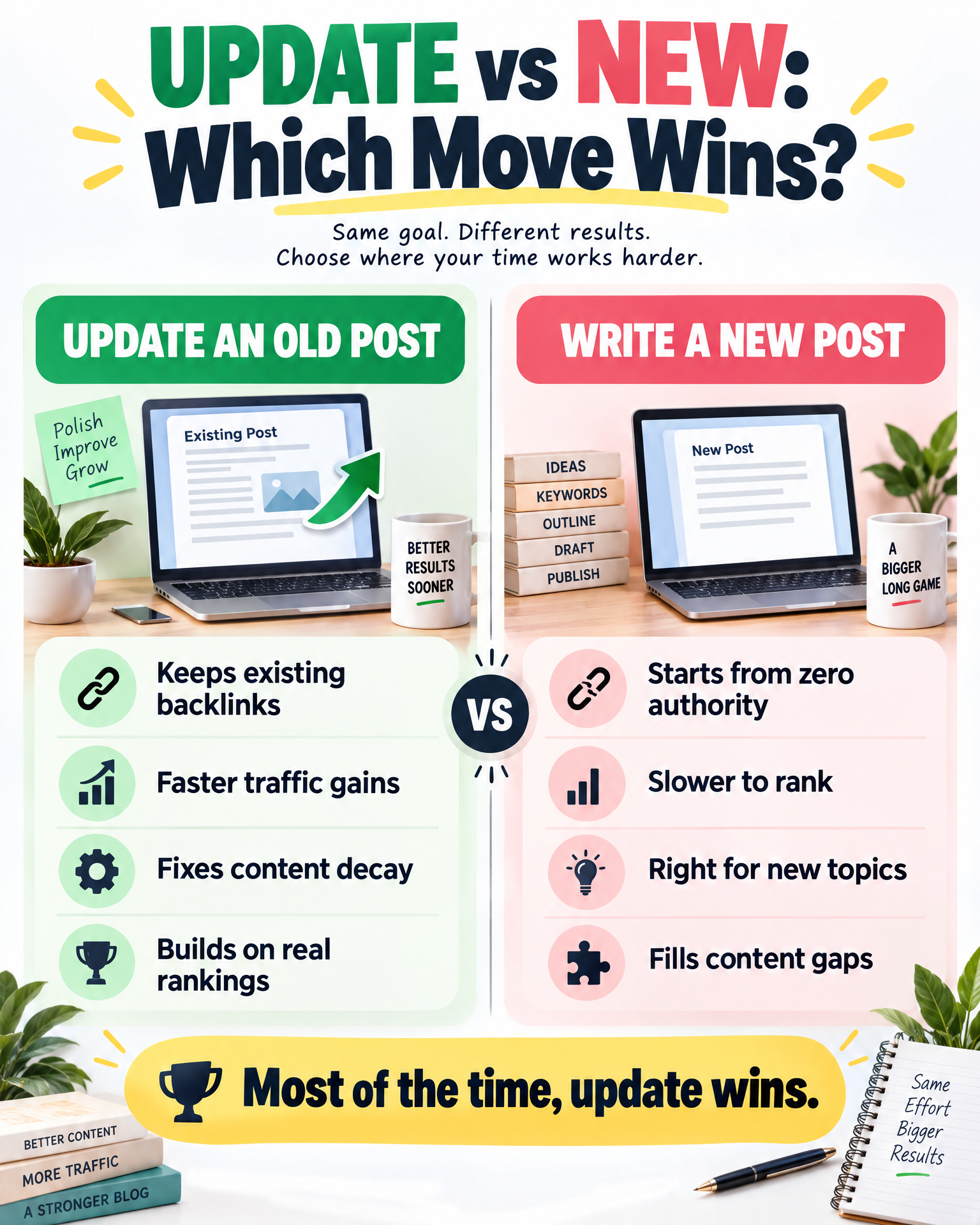
Writing something new doesn’t fix decay. Updating does. If your existing post already has backlinks, an indexed history, and some leftover authority, a brand-new post starts from absolute zero — no trust, no history, nothing. You’re essentially throwing away equity that took you months, sometimes years, to build.
The math, honestly, isn’t complicated. A 90-minute refresh on a post already sitting on page one or two will almost always out-earn eight hours spent writing something new that has to build trust from nothing. Not always — there are exceptions, and we’ll get to those — but almost always, and especially in the early years of a site, when domain authority is still thin and every bit of existing traction matters.
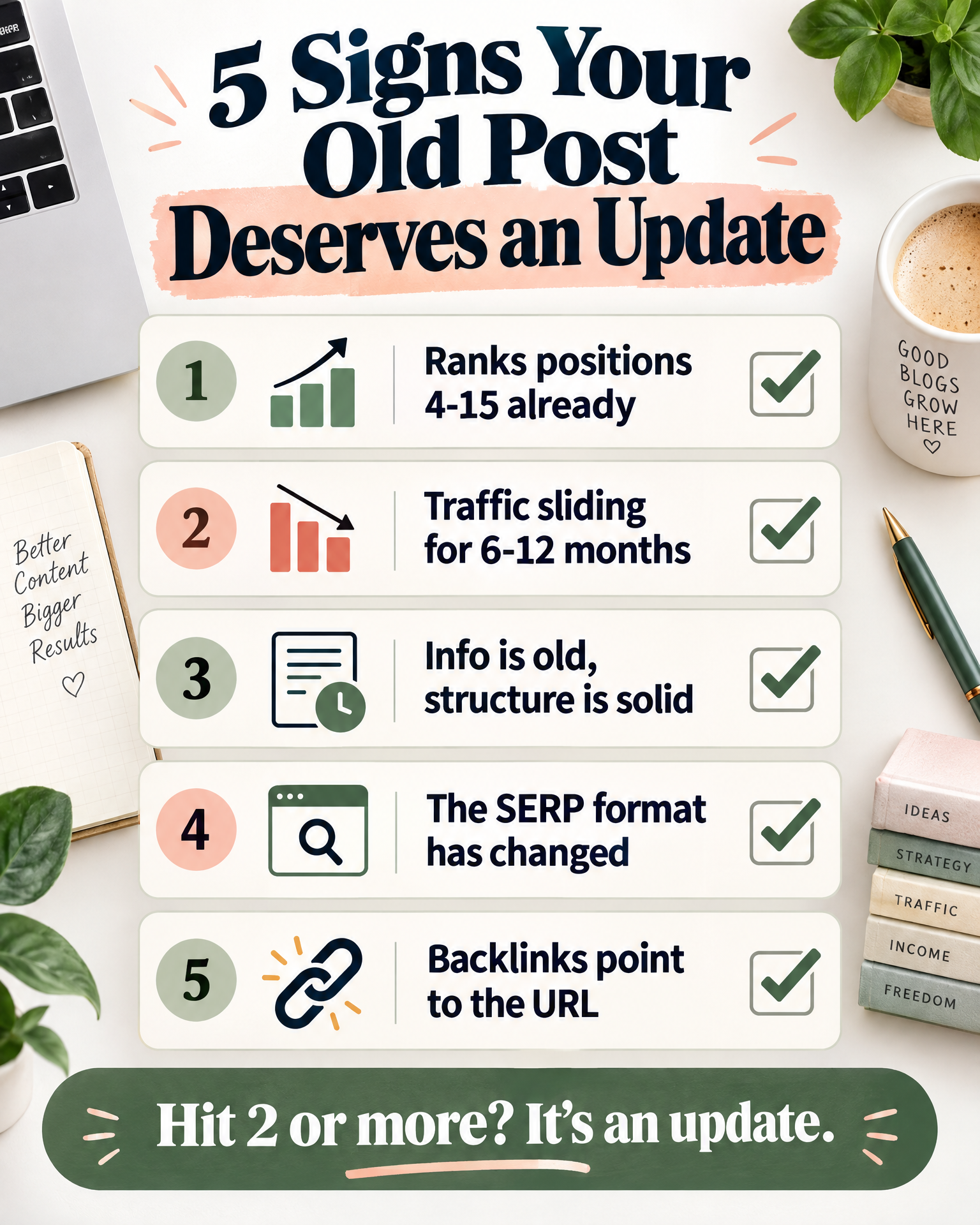
5 Signs an Old Post Deserves an Update
Not every dusty old post is worth reopening. Here’s how you tell the ones that are calling out for attention from the ones that are fine being left alone.
1. It ranks positions 4–15 for a keyword with real intent match.
This is the sweet spot, and it’s worth pausing on. The post already carries enough authority and relevance to sit inside Google’s consideration set — it’s just not winning the race yet. Page one is usually closer than you think, and a lot closer than starting over would get you. For a closer look at what separates a page-two post from a page-one one, read Why Good Blog Posts Get Stuck on Page 2 of Google.
2. Traffic has dropped over the last 6–12 months without any manual penalty.
Pull up the trendline in Search Console or Analytics and really look at it. A slow, gradual decline — not a sudden cliff — almost always points to content decay rather than punishment. That’s a refresh signal. It is not a delete signal, no matter how tempting it feels to nuke the post and start over.
3. The information is outdated, but the structure still works.
Pricing changed. A product got discontinued. That one statistic you leaned on is from 2019 and feels almost embarrassing now. If the bones of the post — headings, flow, the way it answers the query — still hold up, you’re patching a good foundation, not rebuilding one.
4. It’s a topic where the SERP has visibly reformatted itself.
If competitors suddenly have comparison tables, FAQ blocks, or embedded videos where there used to just be paragraphs, that’s the format expectation shifting under you. And honestly, you can usually out-format an existing post faster than you can out-rank the field with something brand new.
5. It already has backlinks or internal link equity pointing to it.
Check your backlink profile before you decide anything. If other sites — or even your own internal links — already point to that URL, the page is carrying trust signals a new post would have to earn all over again from scratch. Keep the URL. Upgrade what’s on it.
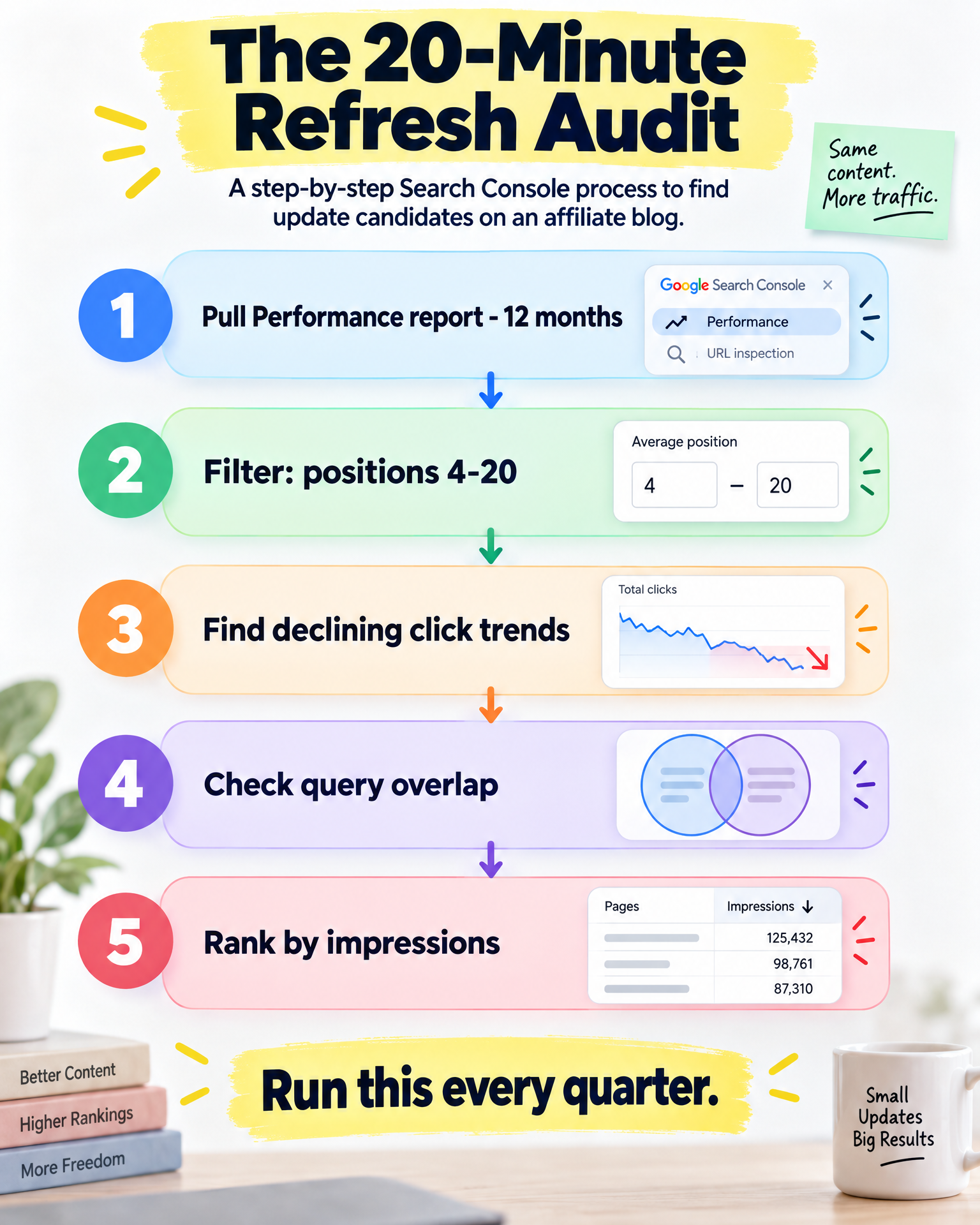
5 Signs You Actually Need a New Post
Updating isn’t always the right call, and pretending otherwise will waste just as much time as over-publishing does.
1. The search intent has fundamentally changed.
If your post was built for informational intent — “what is X” — but the SERP has since shifted to transactional intent, like “buy X” or “best X for Y,” you’re not looking at a mismatch you can patch. You’re looking at a replacement job. Bending an old informational post into a buyer’s guide usually reads as forced, and it confuses readers and Google in roughly equal measure.
2. The keyword deserves its own dedicated page for topical authority.
If you’re building out a content cluster and this subtopic is a genuine gap rather than an overlap with something you’ve already published, a new page strengthens your footprint. Trying to awkwardly wedge it into an unrelated post dilutes both pieces instead of helping either.
3. The old post is thin, low-quality, and has nothing left to protect.
If a post ranks nowhere, has zero backlinks, and shows no impressions in Search Console, there’s genuinely nothing worth preserving. (On a brand-new site, though, low impressions can be completely normal early on — see Why Your New Affiliate Blog Gets Almost No Google Impressions.) In that case, a fresh, better-built post — or a full rewrite under a new URL if the topic has moved on entirely — makes more sense than trying to resuscitate dead weight.
4. You’re targeting a meaningfully different audience segment or format.
“Best hiking boots” and “best hiking boots for wide feet” can absolutely coexist as separate posts, so long as search volume and intent justify the split. Cramming both into a single page usually means it tries to serve everyone and ends up serving nobody well.
5. The existing post is doing fine, and touching it risks the win.
If a post is stable in positions 1–3 with healthy traffic, leave it alone unless something concrete has actually changed — an expired offer, an outdated screenshot, something real. Chasing marginal gains on a post that’s already winning can introduce more risk than reward, especially if you’re rewriting large chunks instead of small, surgical edits.
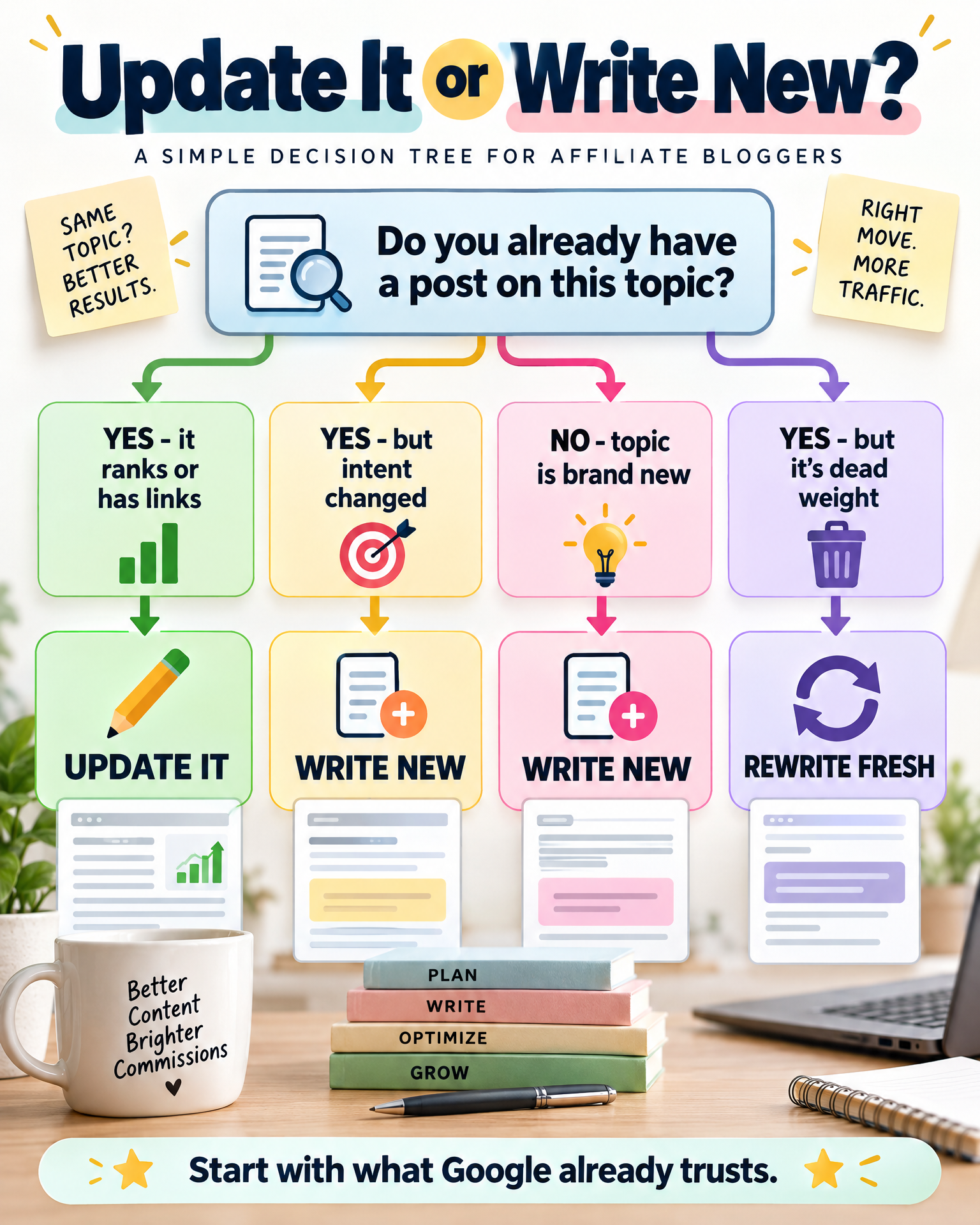
How to Run a 20-Minute Refresh Audit in Search Console
This is the fastest way to find genuine update candidates without guessing or relying on gut feeling. All you need is Search Console access and about 20 minutes you’d otherwise spend scrolling.
Step 1: Pull your Performance report, filtered to the last 12 months
Head to Performance > Search Results. Set the date range to 12 months, then sort by impressions — not clicks — descending. Impressions tell you Google is still surfacing the page for relevant queries, which is your signal that the page has retained some relevance even if the clicks have dried up.
Step 2: Filter for pages ranking positions 4–20
Add a filter for average position between 4 and 20. This isolates your “almost there” pages — the ones with real upside from a refresh, as opposed to anything buried on page three or beyond, which usually needs a bigger structural rethink than a light touch-up.
Step 3: Cross-reference with declining click trends
Click into individual URLs and look at the trend graph for clicks across that same 12-month window. High impressions paired with a downward click trend is textbook content decay — the ranking is slipping even though demand for the topic clearly hasn’t gone anywhere. If your pattern is the reverse — plenty of impressions but almost no clicks, ever — that is a different problem; see Why Search Console Shows Impressions but Your Traffic Barely Moves.
Step 4: Check query overlap for cannibalization
While you’re inside each URL’s report, check the Queries tab. If the same core keyword is also driving impressions to a different URL on your own site, you’ve likely got cannibalization on your hands. Note it down — it feeds directly into the consolidation move below.
Step 5: Rank your list by opportunity, not by age
Once you’ve got your list of decaying, positions 4–20 pages, sort by impressions. High impressions paired with a low click-through rate is your highest-leverage fix — often a title tag and meta description rewrite alone can lift CTR meaningfully, at zero additional word count.
A 20-minute audit like this, run once a quarter, will surface more realistic traffic wins than most new posts you could write in that same window of time.
The Consolidation Move Most Bloggers Miss
Here’s the part almost every affiliate blogger skips entirely: when you find two or three posts fighting over the same keyword, the fix usually isn’t updating all of them individually. It’s merging them into one and letting the rest go.
Content consolidation means picking your strongest URL and folding everything valuable from the others into it — then redirecting away the losers. This solves cannibalization at the root instead of patching each post separately and just hoping Google eventually picks a winner on its own. Overlapping, disconnected posts are usually a symptom of a deeper planning problem — Why Random Keyword Lists Create Disconnected Affiliate Sites explains the root cause.
Here’s a straightforward process to follow:
- 1. Identify the cluster. Use the query overlap you already spotted during the audit, or run `site:yourdomain.com “target keyword”` to see exactly how many of your own pages are quietly competing with each other.
- 2. Pick the winner. Choose the URL with the most backlinks, the strongest historical traffic, or the best current ranking position. This is the one you’re keeping — and building around.
- 3. Merge the content. Pull the genuinely valuable pieces from the losing posts — a stat, an angle, a subsection worth saving — into the winner. Don’t just staple them on top; weave them in so the final post reads as one coherent piece, not a patchwork. Merging overlapping posts often reveals that your categories are overlapping too — How to Organize Blog Categories Without Overlapping Topics walks through how to fix that without breaking your site’s structure.
- 4. 301 redirect the losing URLs to the winner. This passes existing link equity forward and tells Google, in no uncertain terms, which page should be ranking. Do this at the server or plugin level — not with some hand-written “this post has moved” note that nobody, including Google, will actually follow.
- 5. Update internal links sitewide. Any post still linking to the old URLs should now point directly to the winner. Redirects will technically handle this automatically, but clean direct links avoid redirect chains and just feel tidier.
- 6. Monitor for 4–6 weeks. Consolidation gains aren’t always instant, and that’s normal. Give Google time to recrawl and fully consolidate the signals before you judge whether it worked.
This move gets skipped constantly because it feels like losing something — you’re deleting a post you spent real hours writing, and that stings a little. But one strong, comprehensive post reliably beats three mediocre, overlapping ones, both for rankings and for topical authority in Google’s eyes.
What to Do After You Update (So the Refresh Sticks)
Updating the content itself is genuinely only half the job. Skip these steps and a refresh can quietly underperform, leaving you wondering why nothing changed.
Update the on-page date signal. If your theme or SEO plugin shows a “last updated” date, make sure it reflects the real edit — but only when the update is substantive. Changing the date on a purely cosmetic tweak is a credibility risk the moment a reader, or Google, notices the content hasn’t actually moved much.
Resubmit the URL for indexing. In Search Console, use the URL Inspection tool and click “Request Indexing” after any significant update. It nudges Google to recrawl sooner instead of waiting around for the natural crawl cycle to get to it.
Refresh the meta title and description if intent or content changed. If you’ve added new sections, updated pricing, or dropped in a comparison table, your existing meta might no longer represent what’s actually on the page. A mismatch between what the meta promises and what the page delivers can quietly hurt both click-through rate and engagement.
Check and update internal links pointing to the post. If the post’s angle shifted even slightly, make sure the anchor text on other pages linking to it still makes sense in context. Stale anchor text pointing at a repositioned post confuses readers and crawlers in equal measure.
Log the change and set a re-check date. Keep it simple — a spreadsheet with the URL, the date you updated it, what actually changed, and a follow-up date 60–90 days out. This is how a one-off fix turns into an actual repeatable refresh cycle instead of something you do once and forget.
Watch impressions before clicks. Impressions typically move first, as Google recalculates relevance, and clicks follow once rankings settle. Don’t judge a refresh in the first week or two — give it a full crawl-and-reindex cycle, generally somewhere in the 3–6 week range, before deciding whether it actually worked.
Products / Tools / Resources
Google Search Console — free, and honestly the single most important tool in this entire process. Lean on the Performance report for spotting decay and the URL Inspection tool whenever you need a page recrawled sooner.
Your SEO plugin — whichever one you’re already running for meta titles, schema, and redirects. It handles the technical side of consolidation, including 301 redirects and updated meta tags, without needing you to dig into server-level access.
A basic rank tracker — handy for watching position changes on freshly updated posts week to week, rather than waiting on Search Console’s slower-to-update averages to catch up.
A spreadsheet or simple project tracker — for logging your audit results, your consolidation candidates, and your re-check dates. It doesn’t need to be elaborate. Consistency matters far more than sophistication here.
Google’s Search Central documentation on content quality — worth reading straight from the source if you want Google’s own framing of what makes content “helpful.” It’ll inform both your update decisions and your new-post decisions going forward.